
K-cast operation manual
Device registration
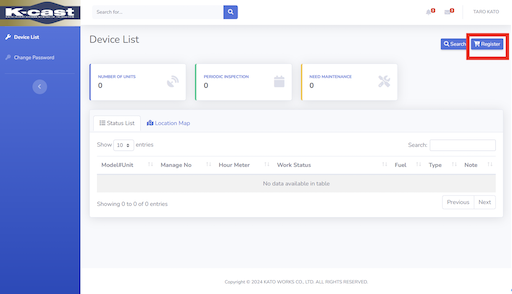
1. Press the Register button in the device list
Click "Register" in the upper right corner of the screen.
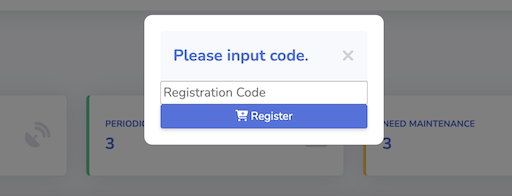
2. Enter the assigned registration code
Enter the "Registration Code" in the dialog box that appears, and then click "Register".
- If your dealer not provides "Registration Code", please contact them.
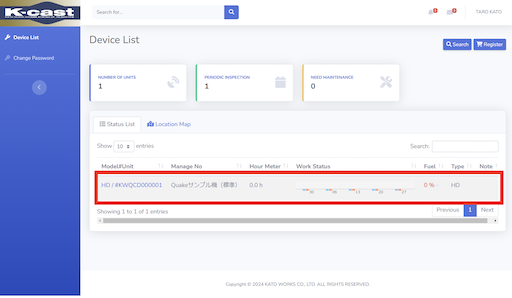
3. Confirm it appears in the list
The screen will refresh and the device will be registered.