
K-cast operation manual
Device setting
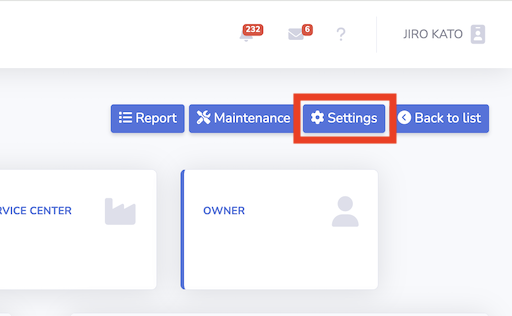
1. Press setting button in the device page
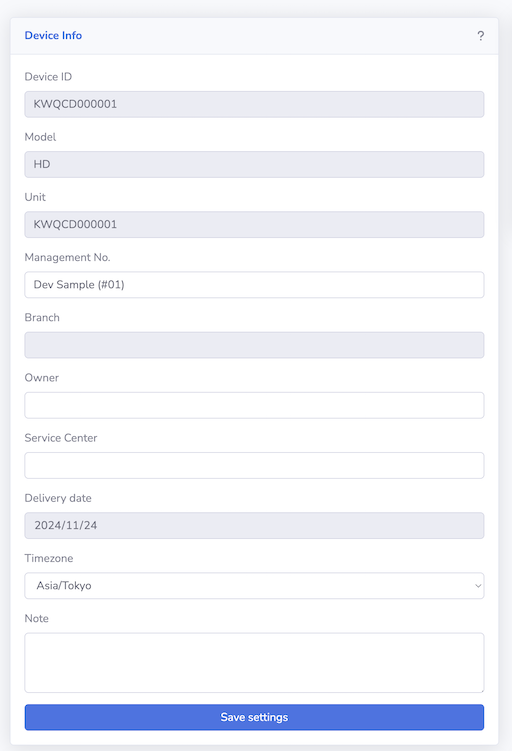
2. Edit device settings and press the save button.
Items set in Note(Tags) can be used when searching in the device list.
- Management number
- Owner name
- Service Center name
- Timezone
- Note(Tags)
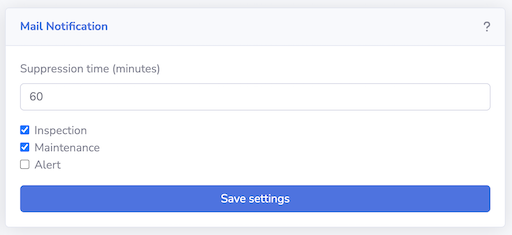
3. Edit Mail notification
The "Suppression time" suppresses the same alert from occurring again for a specified period of time. Notifications for scheduled inspections and maintenance will be sent via the maintenance page. If you do not wish to receive notifications, uncheck each item.