
K-cast operation manual
Maintenance and inspection
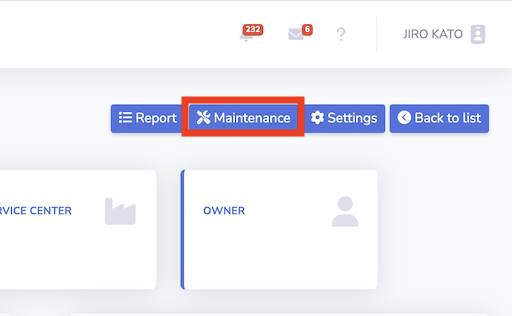
1. Press maintenance button in the device page
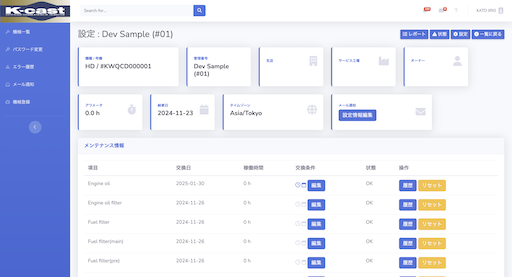
2. Maintenance and Inspection page
You can check the list of maintenance requirements and scheduled inspections.
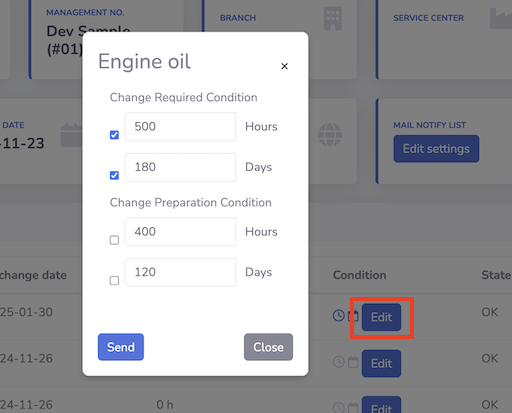
3. Edit Exchange Conditions
By clicking Edit in Maintenance data, the conditions for maintenance notification can be specified as Change Required Condition / Change Preparation Condition.
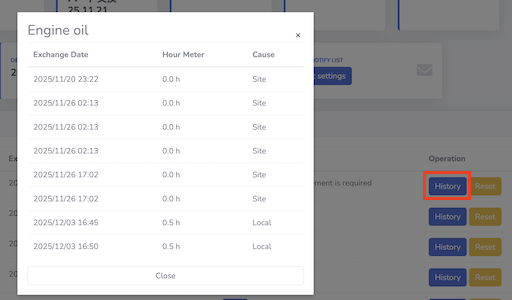
4. View Exchange History
By clicking History in Maintenance data, the maintenance history can be referenced.