
K-cast operation manual
Activate, Deactivate Permissions
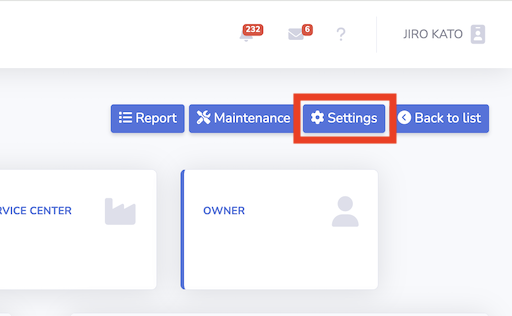
1. Press setting button in the device page
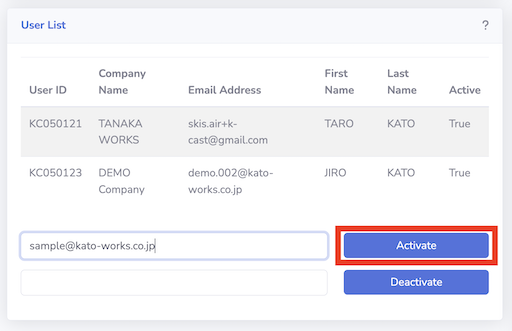
2. Granting owner permissions to other users
Input mail address on the left side of activate button. And click "Activate".
- Note that disclosure occurs under owner permissions.
- If you do not wish to grant owner permissions, generate a key using the "Generate Registration Key" card.
- User must be registered K-cast account before activation.
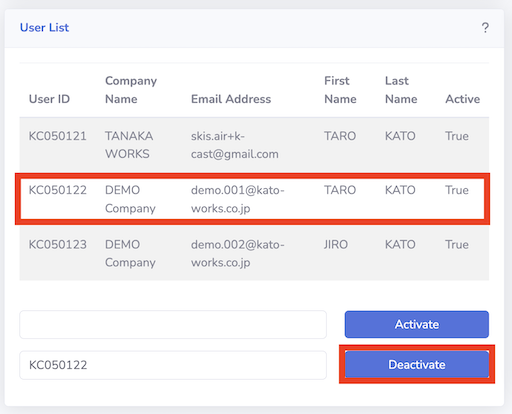
3. Revoke owner permissions from users
Click the user and click "Deactivate."